In the status line
Under the Claude Code prompt: how full the context is, what the session has used and cost, and both limits with the time left until they reset. It works wherever Claude Code runs.

Claude UsageVersion 1.0.0
A status line under your prompt and a glass widget on your desktop show the 5-hour and weekly limits, when they reset, and what every session has cost.
Windows 10/11 · macOS 13 or later · one zip, both installers
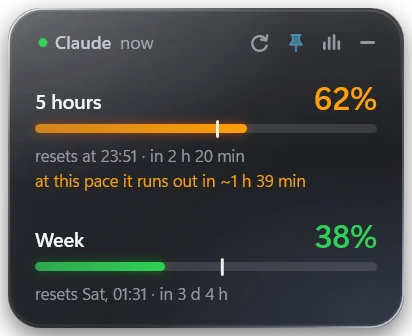
Under the Claude Code prompt: how full the context is, what the session has used and cost, and both limits with the time left until they reset. It works wherever Claude Code runs.
A small floating card shows both limits in green, orange or red, with a marker for how far into the window you are. If you are on pace to run out before the reset, it tells you when.
Open the stats view for the full picture: what your sessions would cost at API prices by day, week and month, how that splits between models, and your latest sessions with title, project, time, tokens and cost.
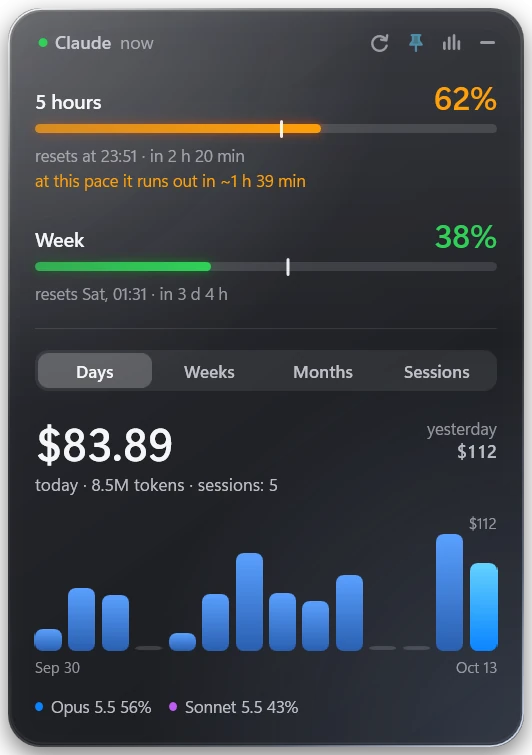
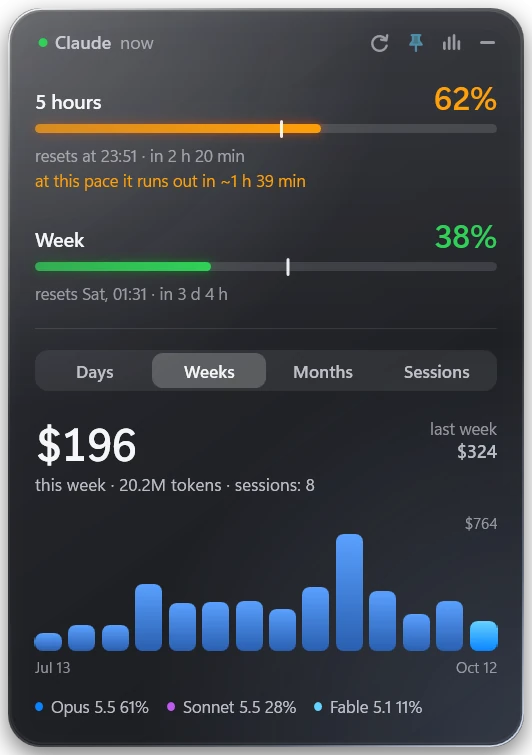
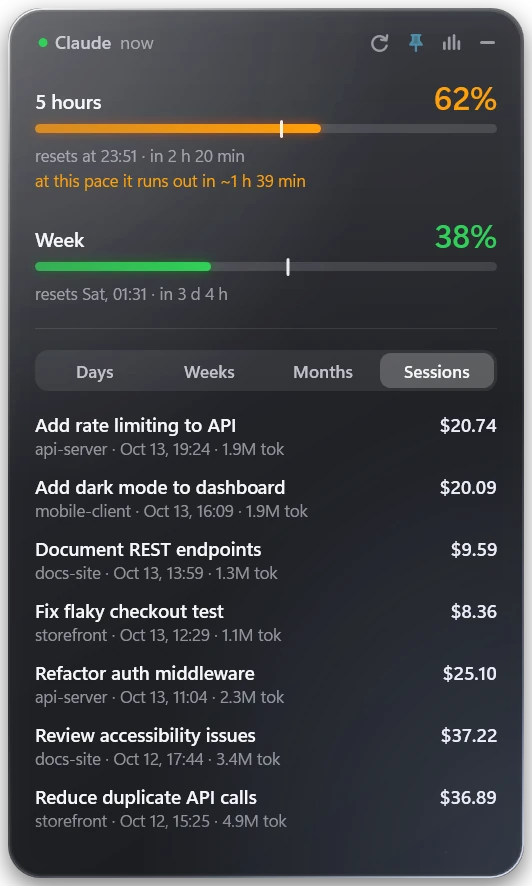
Screenshots: the Windows widget, with demo data. The macOS widget has the same features. It is built on your Mac during install, so there are no screenshots of it here.
Drag it anywhere, keep it on top of other windows or hide it to the tray or menu bar.
It starts with your first session, or at sign-in if you prefer.
The tray or menu-bar icon fills and changes colour with your 5-hour usage.
12 languages, picked up from the system or chosen from the menu.
Animations can be switched off from the menu.
Claude Code deletes old session logs after a while. The widget keeps a ledger from its first run, so your history stays.
One zip holds both installers. Run the one for your system.
powershell -ExecutionPolicy Bypass -File install.ps1To update, run the installer again: your history and settings stay. To uninstall:
powershell -ExecutionPolicy Bypass -File install.ps1 -Uninstallxcode-select --installbash install.shTo update, run the installer again: your history and settings stay. To uninstall:
bash install.sh --uninstallTo open the widget by hand, look for Claude Usage in the Start menu (Windows) or in Applications (macOS). If it is hidden, click its tray or menu-bar icon.
Once a day the widget asks this site whether a newer version exists and says so in its menu. The request carries the version and the system (Windows or macOS) and nothing else. You can switch it off from the menu. To update, download the new zip and run the installer again.
Limits come from a file the status line writes on your computer, and the spend history is read from Claude Code’s own session logs. Nothing is uploaded, and there is no account or sign-in. The update check is the only thing the widget sends.
This site counts visits, downloads and update checks without cookies or trackers, and never stores addresses.
Free, open source and quiet: it sits in a corner until you look.
Source on GitLab